Case study
Interbank financial messaging
Swift
Service design for resolving international payment disputes, on a network that connects thousands of banks.
Key result
Disputes that used to be settled over back-and-forth emails now run more often on a shared case, clearer for each party and quicker to move along.
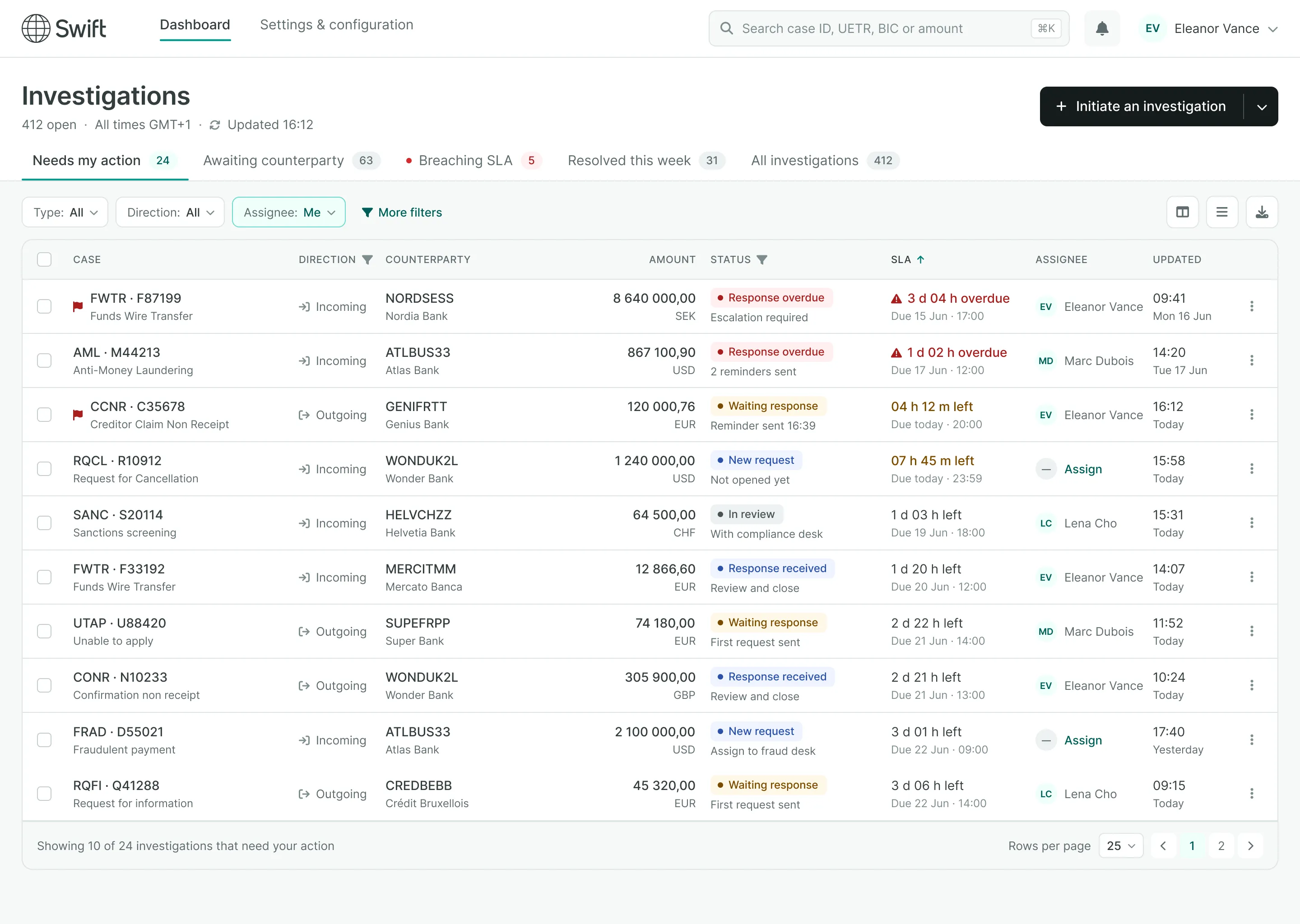
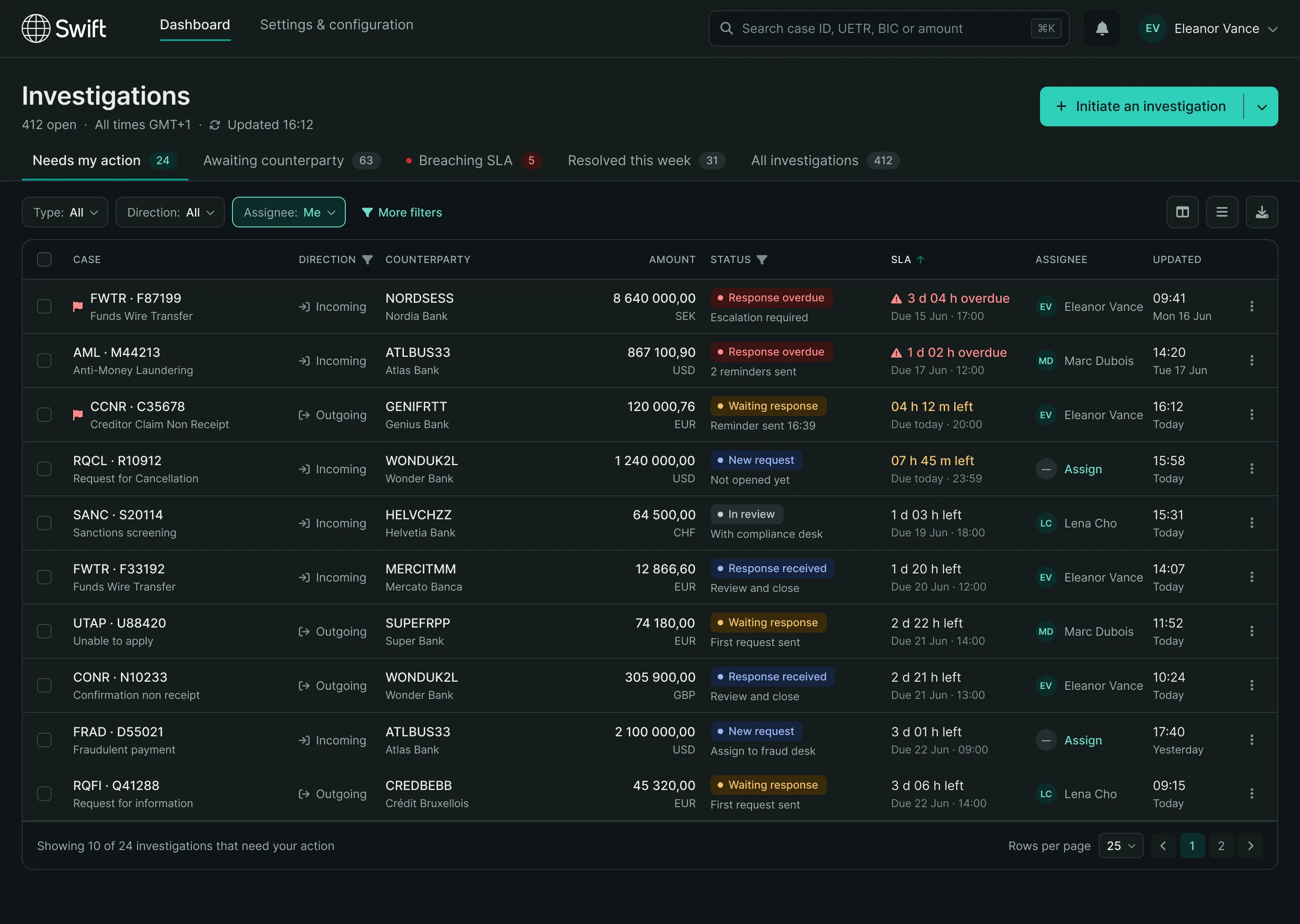
01 Case Management
Opening and tracking an interbank dispute.
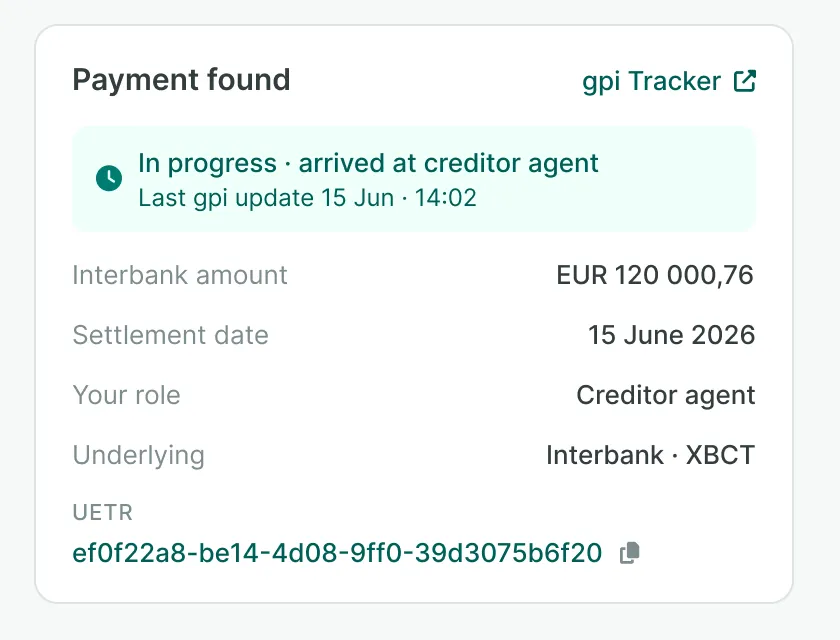
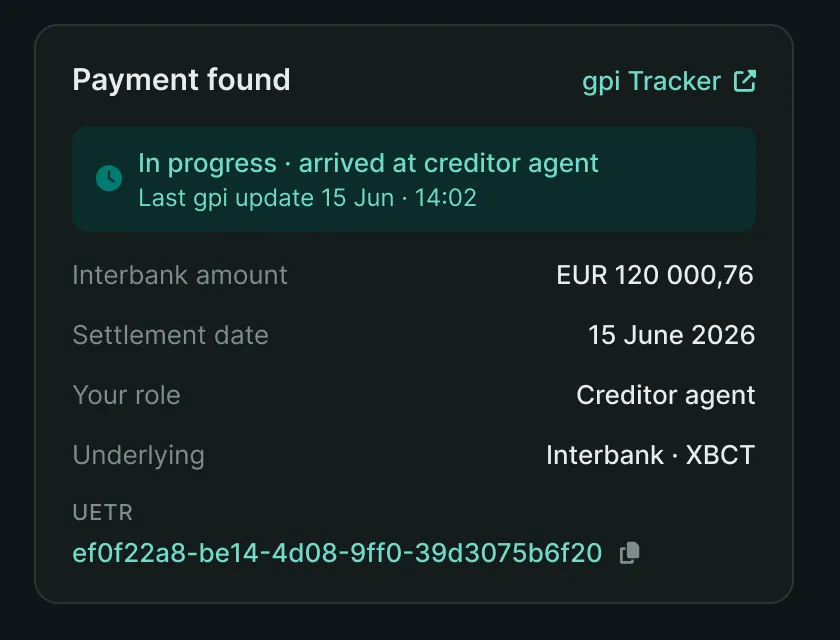
Context
When an interbank payment does not arrive, the claim commits several institutions at once, each with its own deadlines and obligations. Handling it relied on a fragmented support model: one path per dispute type, and whole types still handled outside any tool. So the job went beyond screens: moving from fragmented support to a service, with a single claim cycle, from opening to closure, legible to every party.
Objectives
- Cut resolution time — rework the whole claim cycle and extend coverage to the investigation types still handled outside the tool.
- Make the state of a case legible — users track financial discrepancies and suspected fraud: at any moment they need to know who holds the case, what is expected of them and by when.
- Hold the network's constraints — reconcile what the Swift network imposes technically with ways of working that differ from one institution to the next, from the US to Asia.
- Stay extensible — deliver a base that absorbs the next investigation types without a redesign, within Swift's service quality strategy.
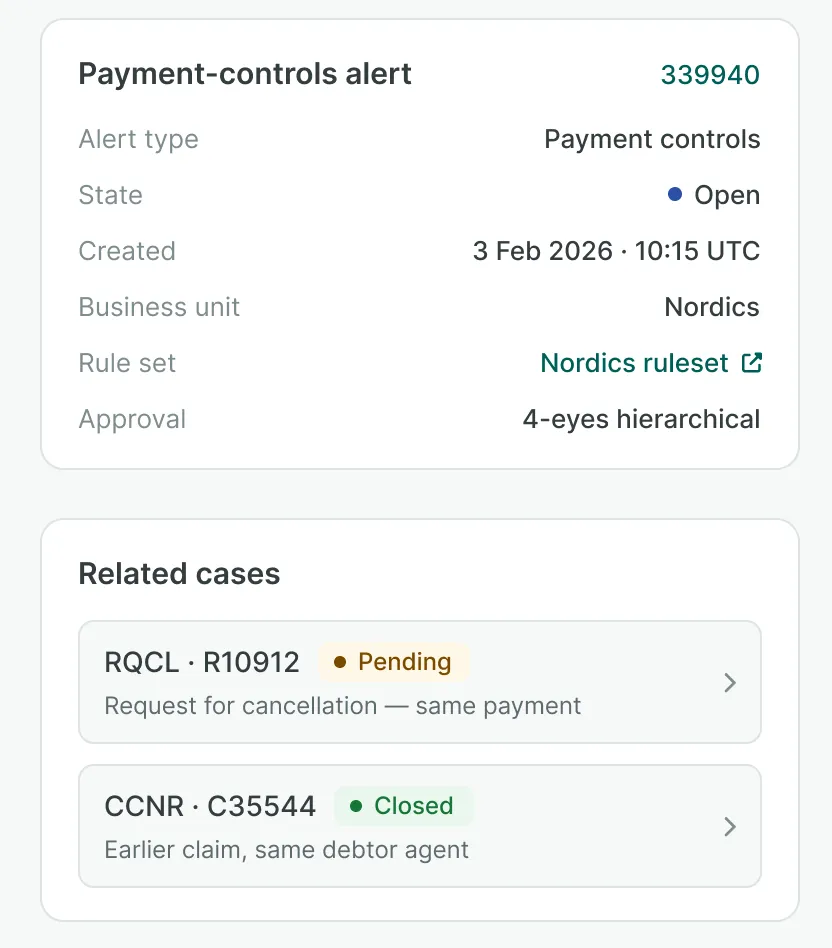
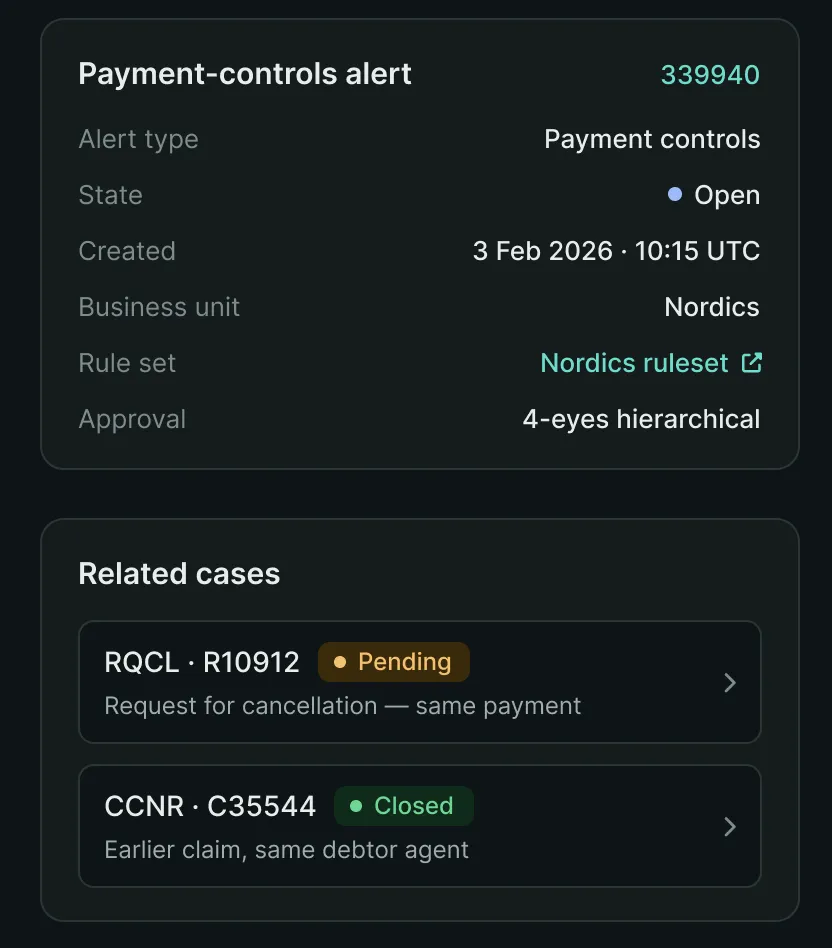
Approach & solutions
- Design Critique across business and IT — workshops with the Product Owner, legal counsel and technical architects. Interface trade-offs were settled there, with the people who carry the constraint.
- User research — interviews with banks and financial institutions, to test the target journey against the real work of the teams that handle claims.
- Prototype as a decision tool — a high-fidelity prototype used to settle questions in workshops, then to present the service to the banking community at SIBOS, the conference organised by Swift.
- A team across three zones — project rituals run by a cross-disciplinary team between the US, Europe and Asia. With the time difference, decisions have to be written down: they cannot always be explained live.
Results
- A shared case — what used to be negotiated over emails between parties now moves on a shared case: opening, tracking and closing happen in the same tool.
- One interface — a dispute is opened and tracked the same way whatever its type; before, each type had its own path.
- A shared reference — the prototype became the shared reference across the three zones, which made asynchronous work workable.
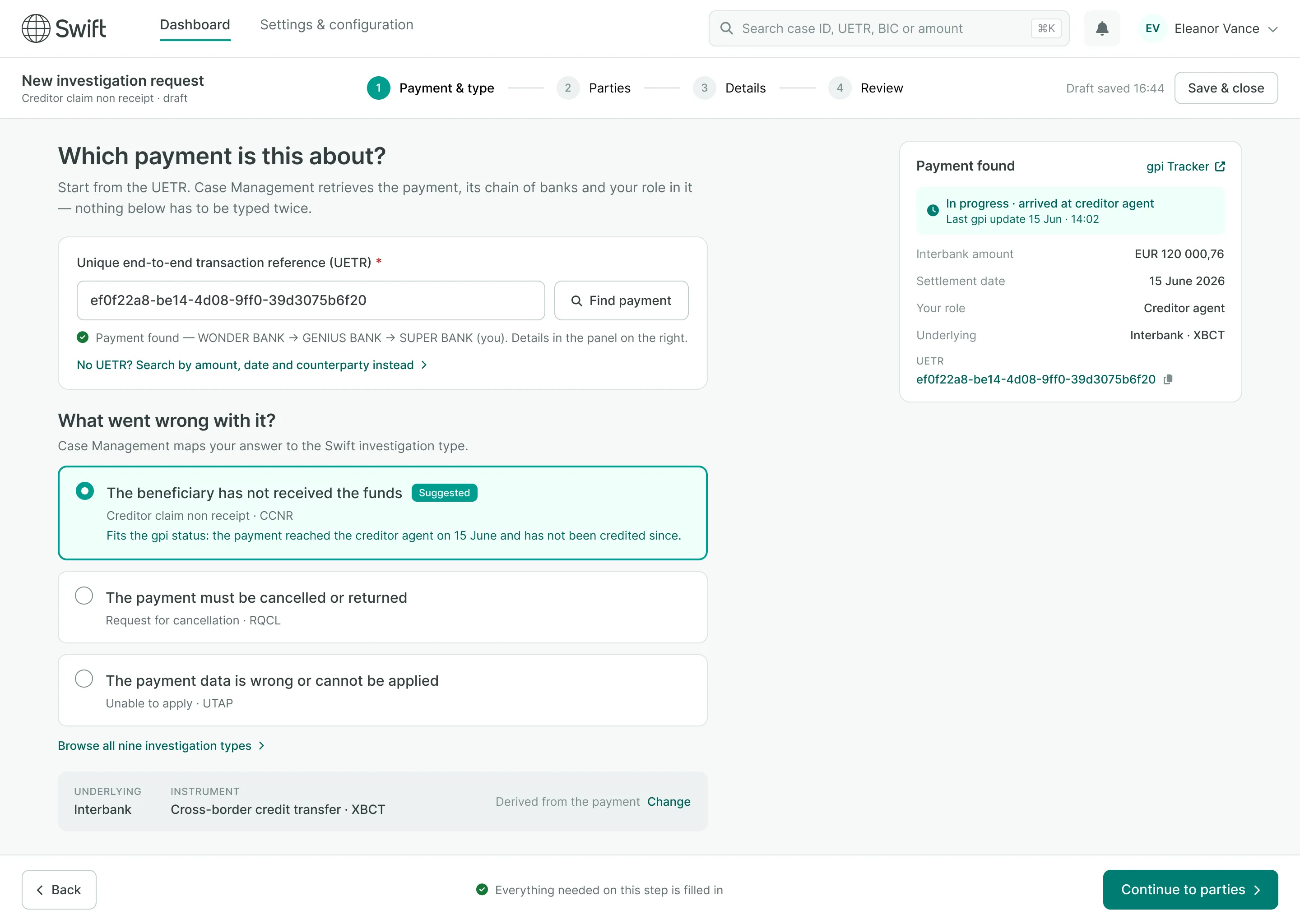
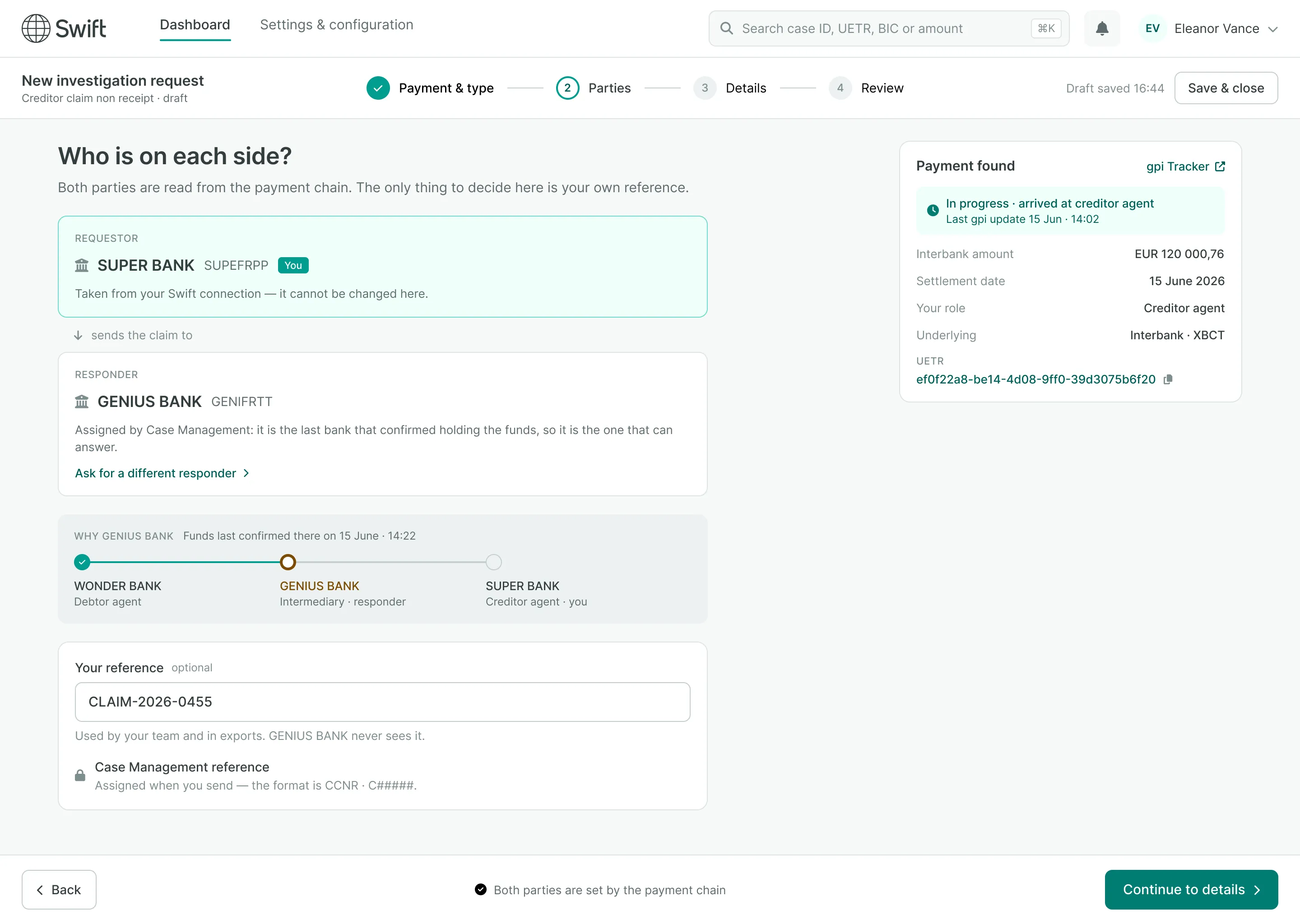
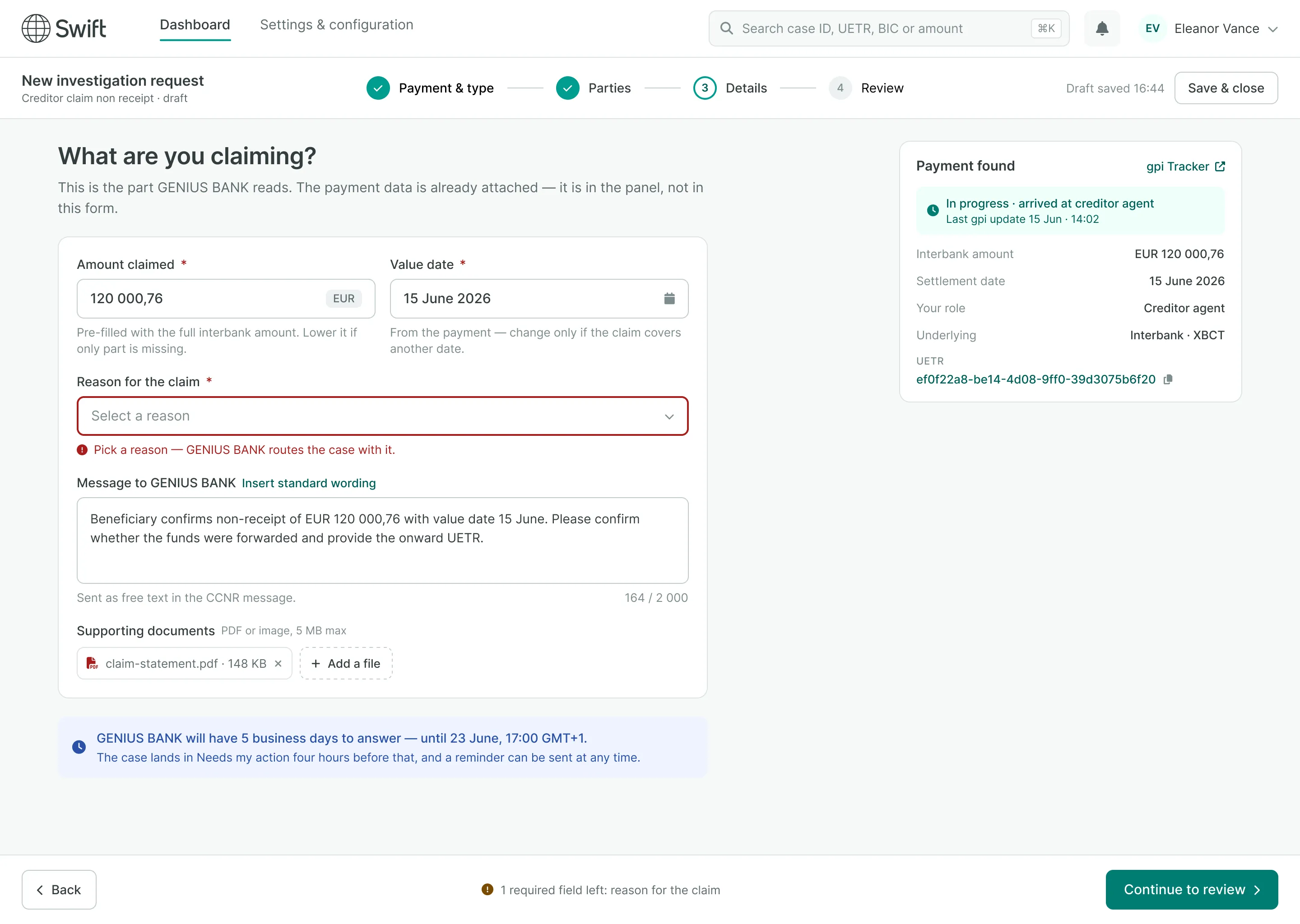
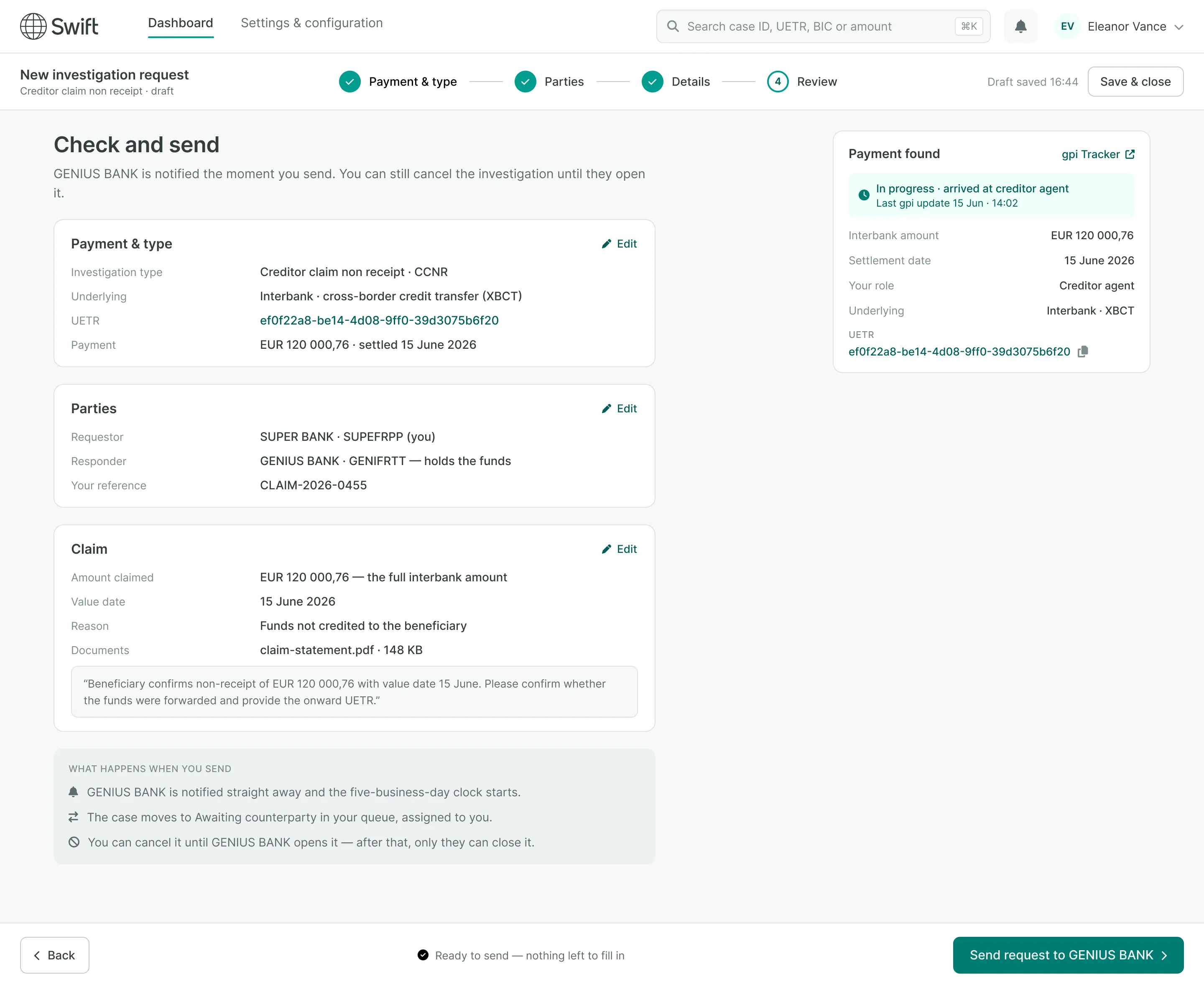
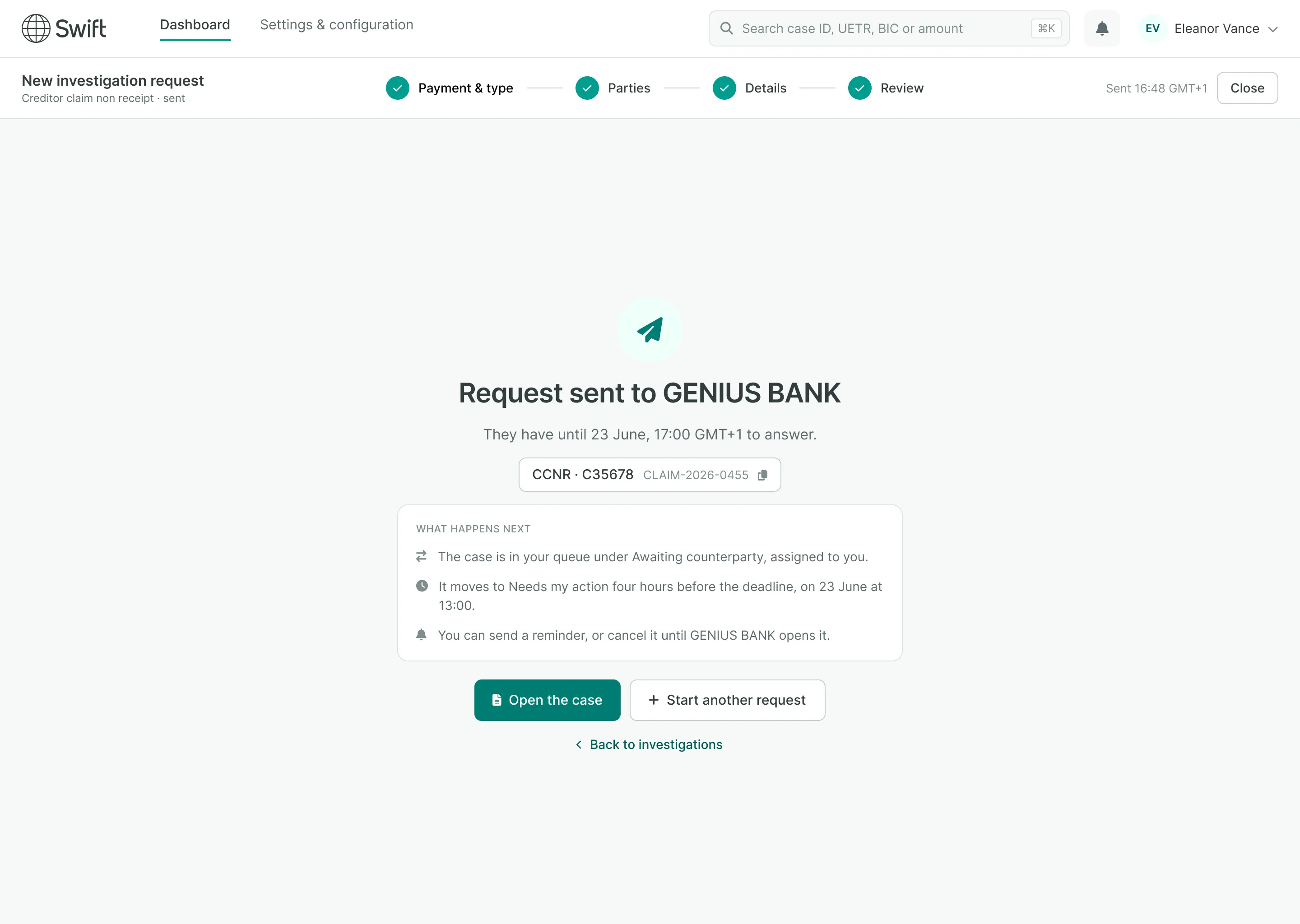
The request flow
Five screens, from payment to send. The existing flow announced fourteen fields to fill across four screens, several of them already known to the network. Here is what is left of it once the payment comes first.
02 Design System
The system's foundations, and their governance.
Context
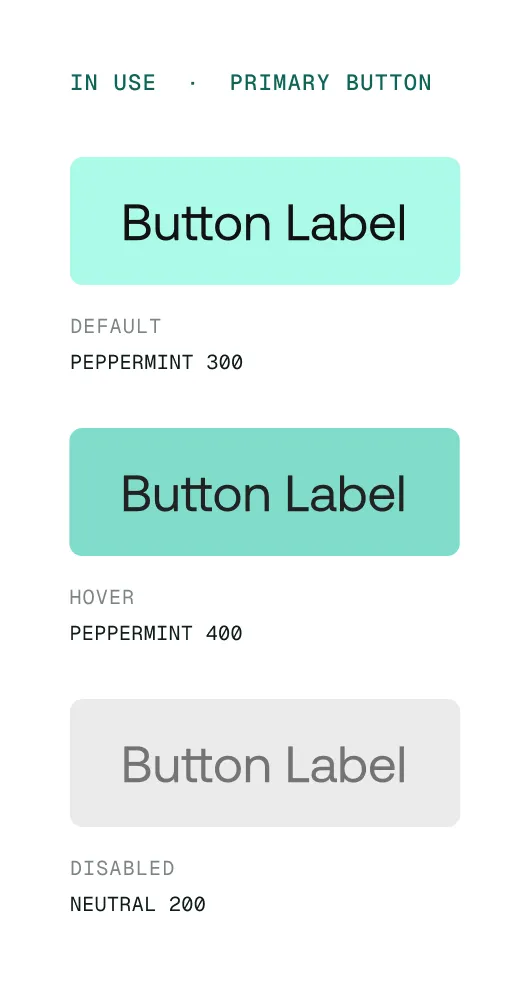
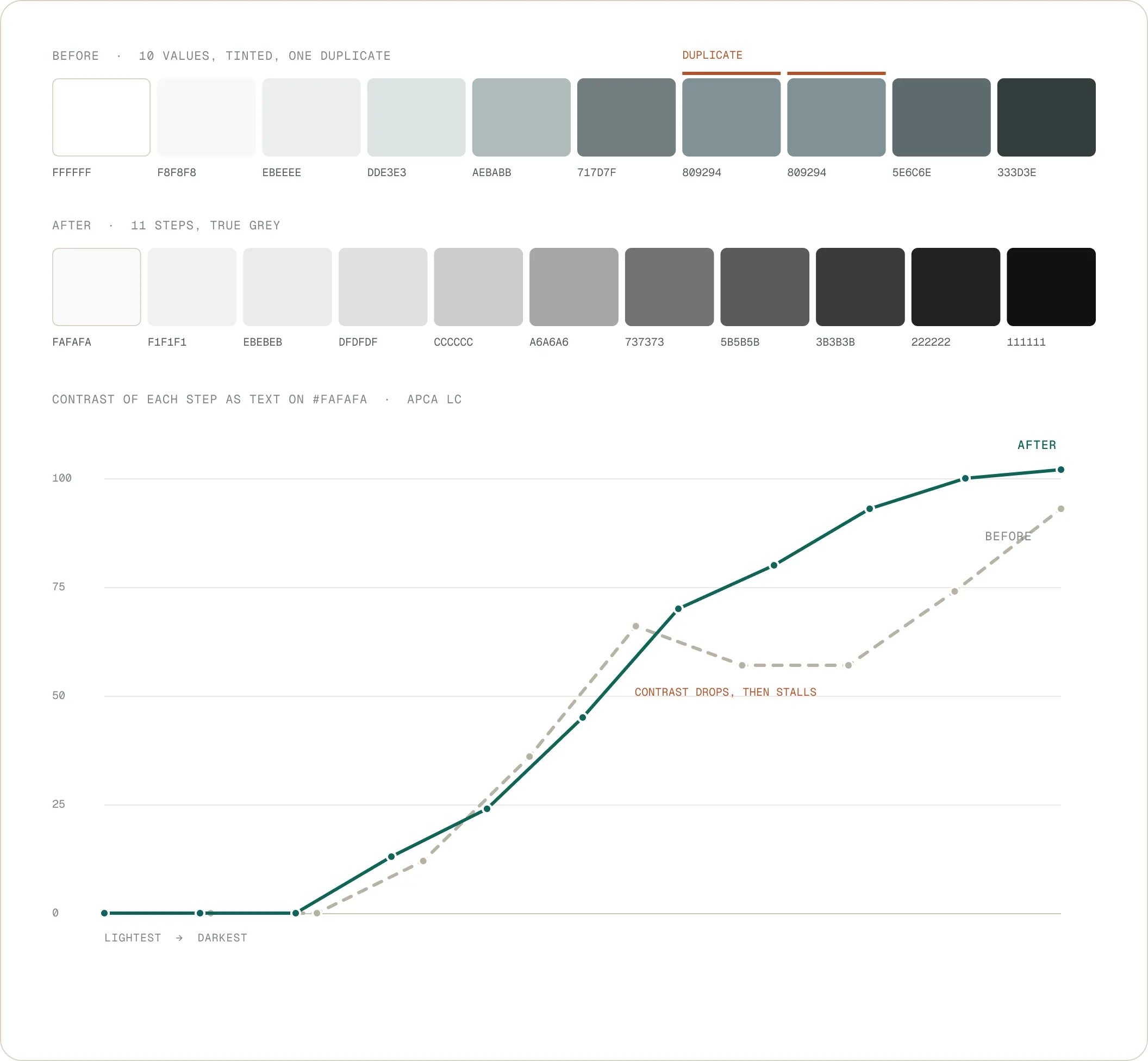
Several teams build data-dense internal platforms in parallel, each with its own design and technical autonomy. That autonomy lets them move fast. It gets expensive when the foundation settles nothing: patterns drift apart and work gets redone. The palette was the clearest case: ten tinted greys, two of them strictly identical, five values for the primary colour, one for success, none for information. So each team filled in its own. My job: make the foundation precise enough that no one has to fill it in.
Objectives
- A foundation without ambiguity — so a designer or a developer finds the right value without arbitrating it themselves: a complete scale per family, and a usage rule written for each step.
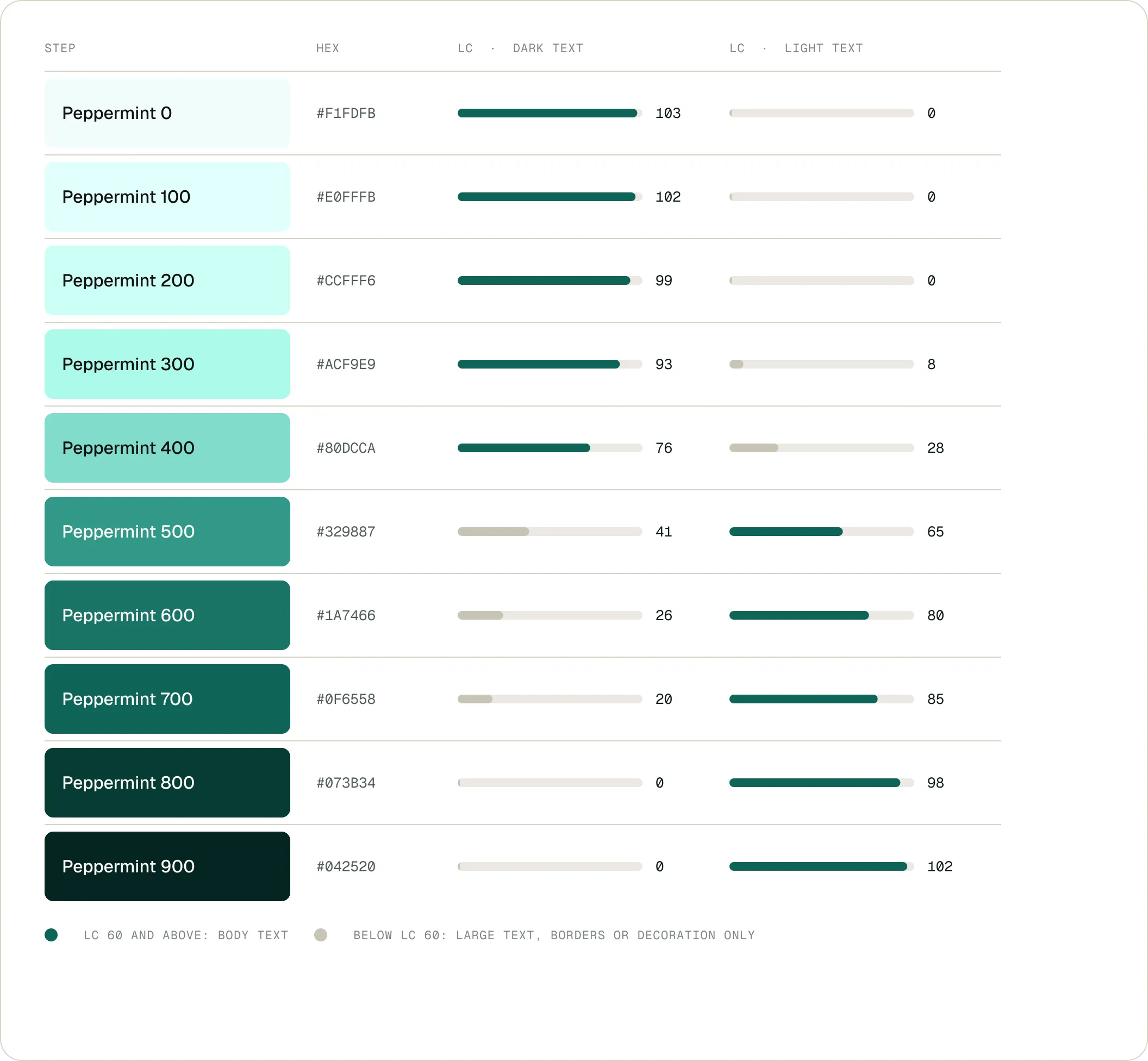
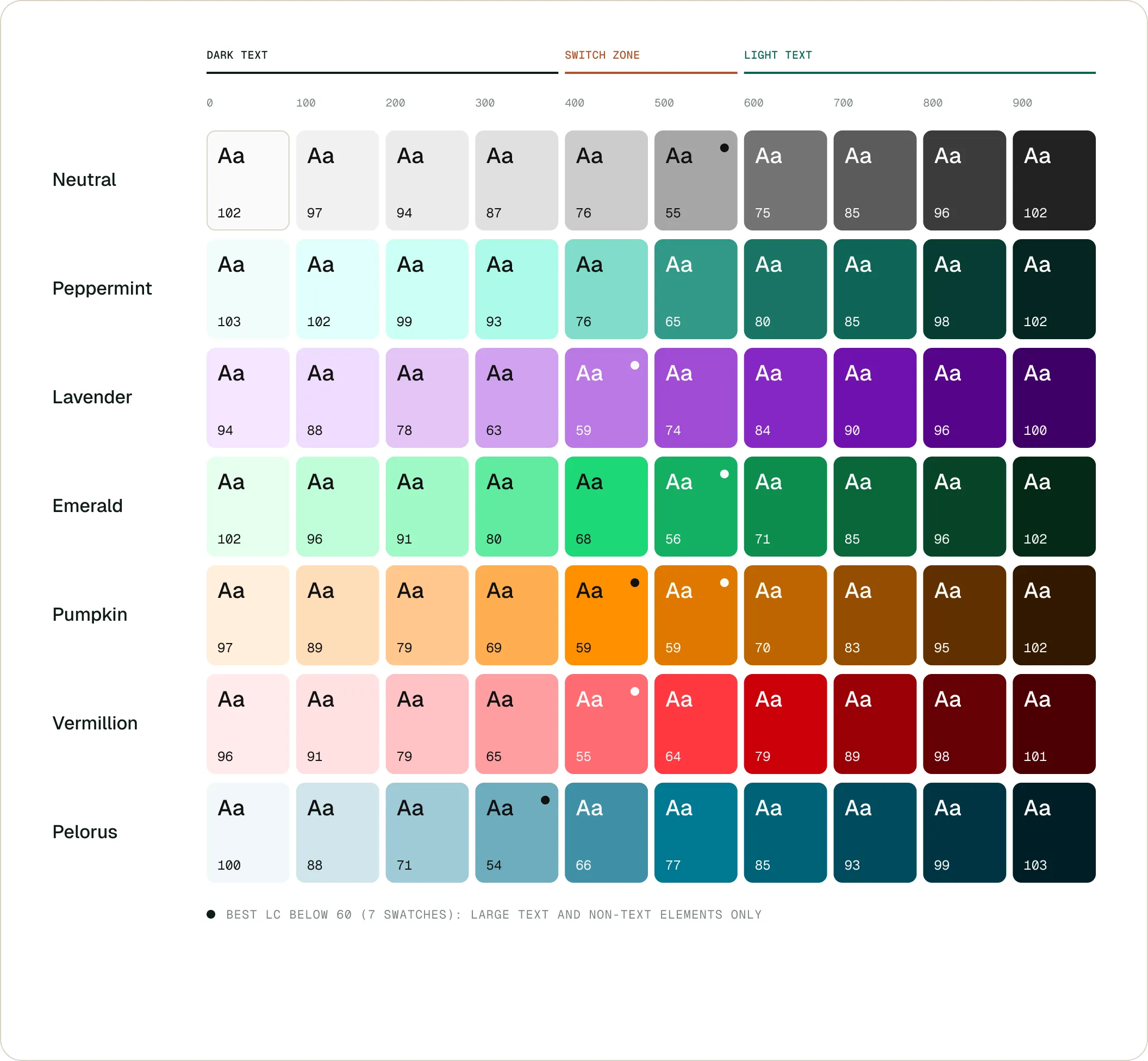
- Measure contrast — assess every value in APCA contrast against light and dark text, so accessibility is settled in the token, not checked at the end of the project.
- Make adoption hold over time — get teams to actually use the library: alignment rituals within the UX Community of Excellence, and documentation kept in Figma and Zeroheight.
- Absorb what comes next — dark mode, data visualisation and future modules had to fit the same system without reopening it.
Approach & solutions
- Rebuild the neutrals before the colours — the greys carried a tint and an exact duplicate. Eleven neutral steps came first, because everything else is measured against them: backgrounds, rules, secondary text.
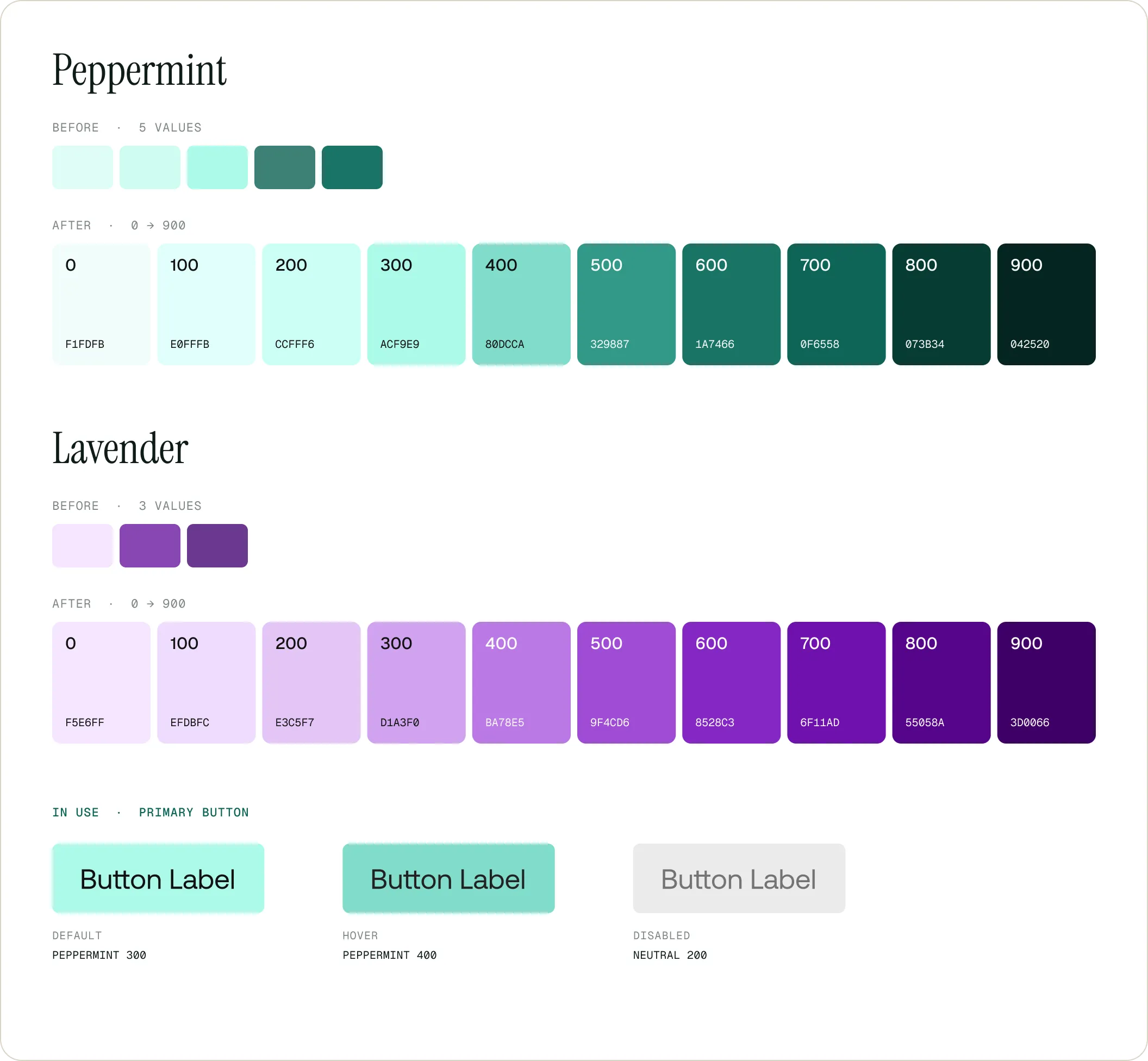
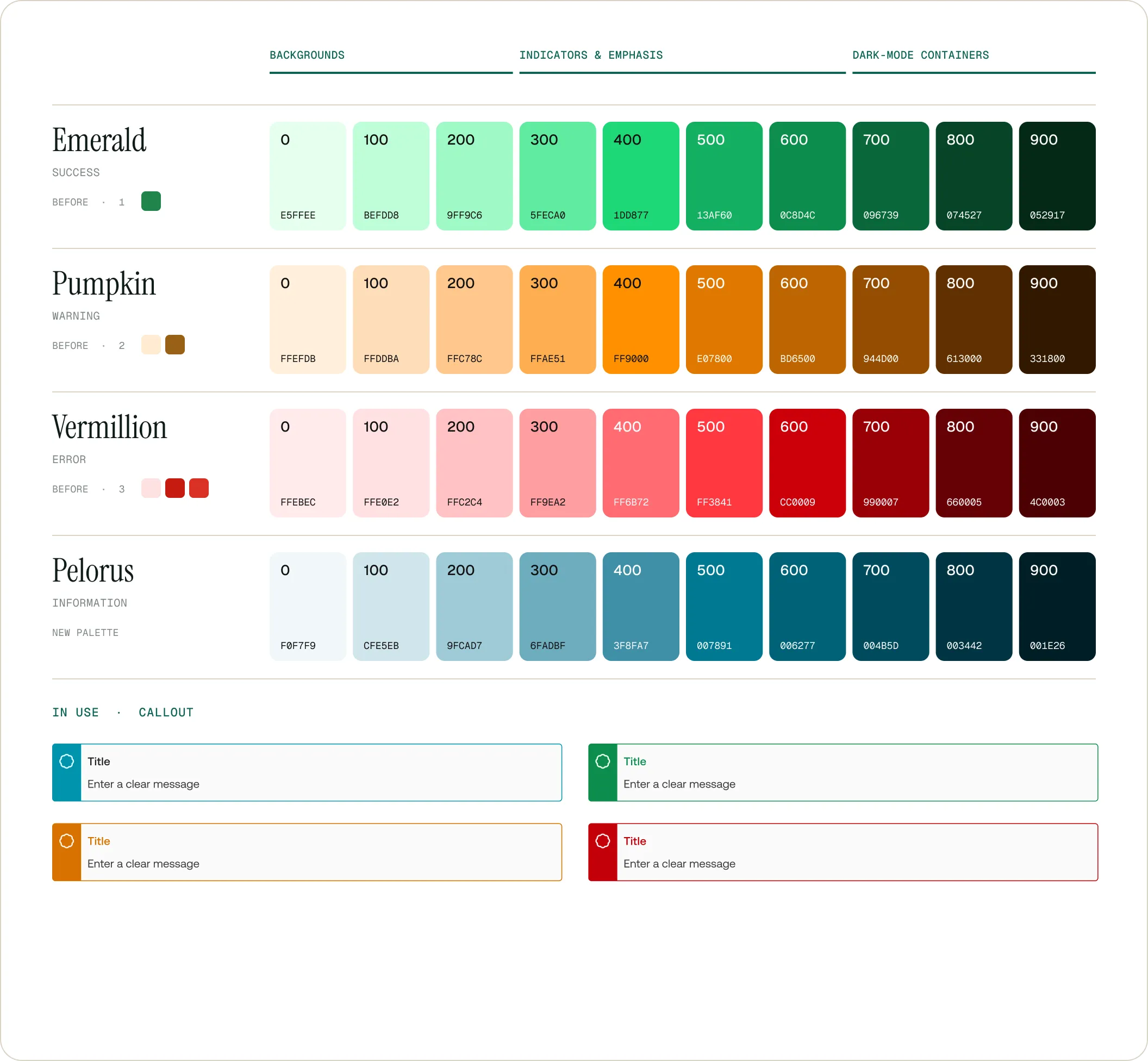
- Extend each family from 0 to 900 — Peppermint from five values to ten, Lavender from three to ten, and one family was missing entirely: Pelorus, created for information.
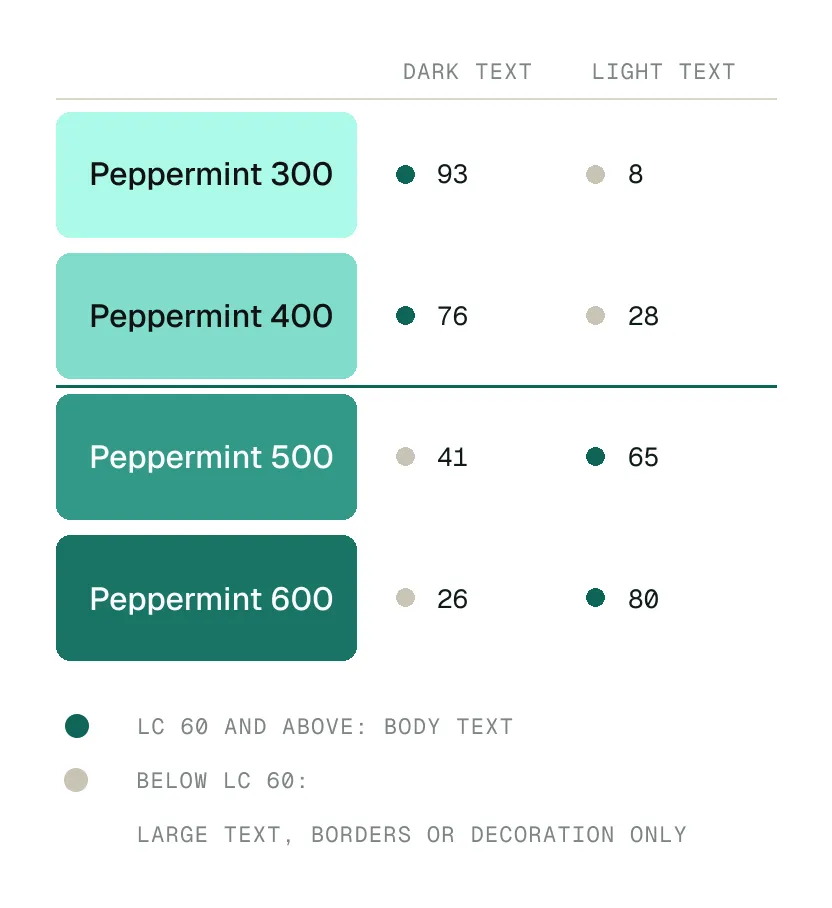
- Write the thresholds into the system — Lc 60 as the limit for body text, below it large text, rules or decoration; and between 400 and 500, the zone where text switches from dark to light. That call used to be made by eye; it is now documented step by step.
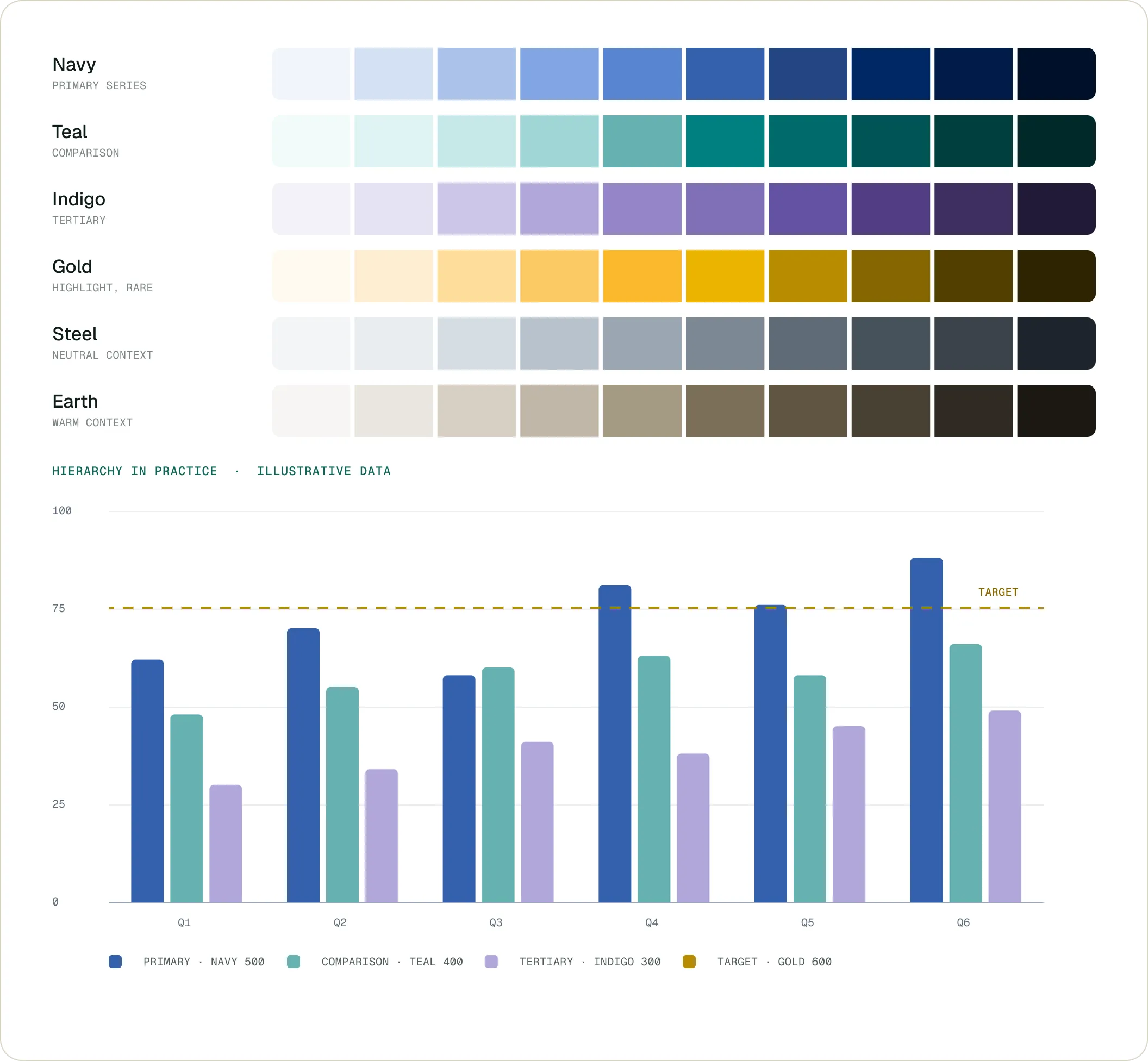
- Keep data visualisation separate — four ranked series and two neutral contexts, so a chart stops borrowing interface colours and stops saying by accident what matters.
- Restructure the components — Figma components rebuilt in auto-layout, typographic grid and spacing rules aligned, light and dark variants handled at the same time.
Results
- Fewer calls made in review — colour and spacing differences are settled by applying the system, with no debate in design review between the developer, the PO and the designer.
- Verifiable contrast — each step carries its measurement: what is usable for text, and on what basis, can be stated without reopening a checking tool on every screen.
- A base teams actually take up — the system serves as a shared reference for existing modules and for the projects that follow, including dark mode and data visualisation, which had no answer before.
The foundation boards
Six boards from the system documentation, covering the colour layer: the neutrals rebuilt, the brand families extended, contrast measured step by step, the status colours, the data visualisation series, and the matrix that pulls them together.
Continue reading
Two other B2B ecosystems.
Energy
Elia
Leading the EPIC project, a unified B2B platform for parties connected to the Belgian power grid. From user research to high-fidelity prototype.
Telecom
Proximus
Twenty-five interviews with freelancers to redesign the Bizz Online page (+38% conversion), then research on price perception.